




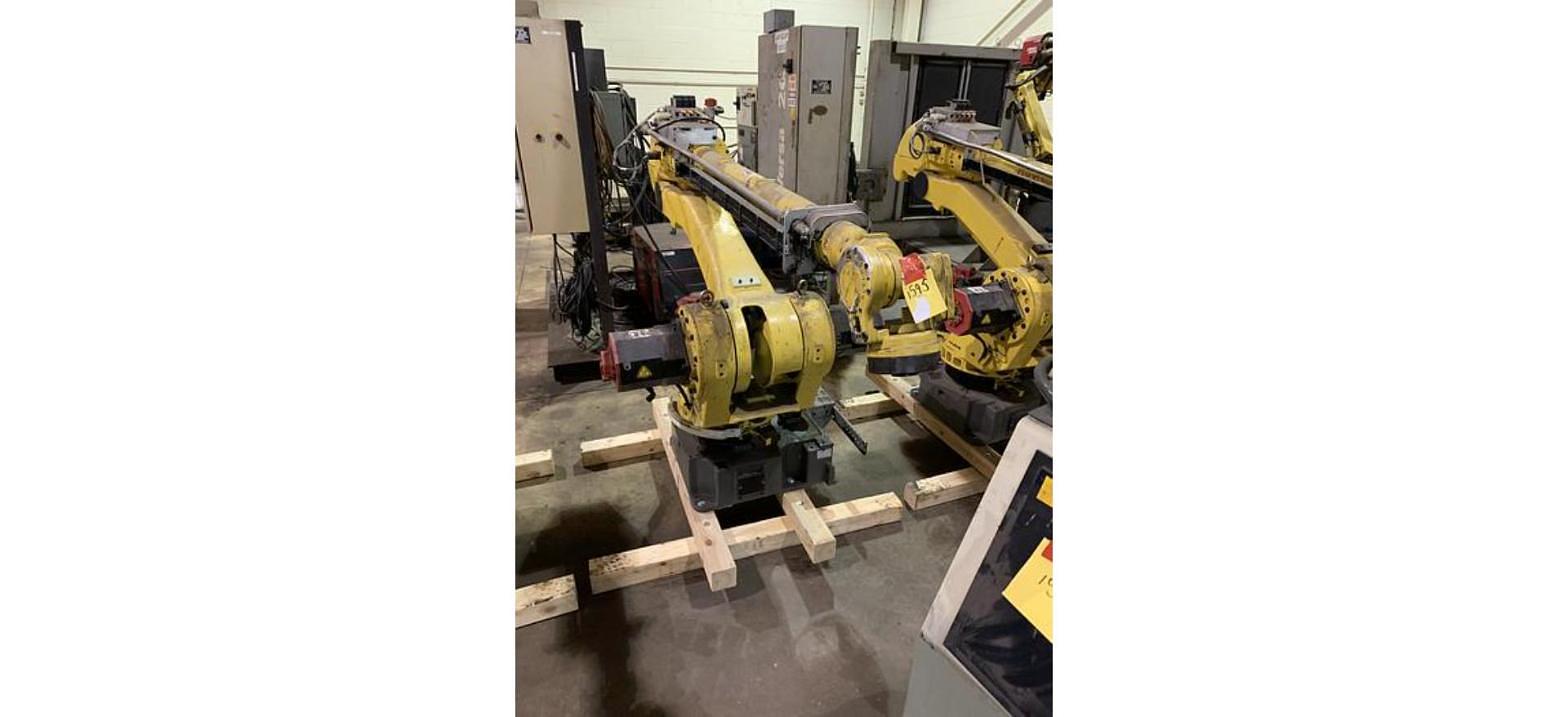
The FANUC S-500i and S-500iB are older six axis robots. The S-500i runs on the RJ3 controller and the S-500iB on the RJ3iB. If you are buying one, check the controller generation, parts support, the cables and the teach pendant before anything else. We stock both models on our floor in Imlay City, Michigan.
Who Still Buys an S-500
An S-500 makes the most sense for a plant that already runs them. A line built around S-500iB robots years ago does not need a new arm and a new controller family to replace one tired unit. A matching used robot keeps the spares shelf, the training and the cell layout the same. Some buyers pick one up as a parts robot for the rest of their fleet.
The other buyer is the shop with a simple job and no need for current software. Our S-500iB listings name machine loading in their application lists, which puts them alongside the other machine tending robots we carry. Our S-500i listings name pick and place work, and both fit general material handling and parts transfer jobs. Newer arms are on our used FANUC robots page if the job calls for one.
What We Have
Our FANUC S-500i robots are 1999 and 2001 units on RJ3. Our FANUC S-500iB robots are 2003 and 2005 units on RJ3iB. Payload and reach vary by version, so check each listing or call us.
We also have a stand alone FANUC RJ3iB controller, a 2005 unit, for plants that need a controller more than an arm.
Check 1: Controller Generation
The controller decides more about an older robot than the arm does. The FANUC R-J3 controller is the older of the two. The FANUC R-J3iB controller came after it. If you already run one of them, buy the robot that matches. Our FANUC robot controllers guide walks through every generation from RJ3 to the R-30iB Plus.
If the robot has to talk to a PLC or newer equipment, work out the signals before you buy. Our write up on industrial robot I/O covers the basics.
Check 2: Parts Support
On a robot this age, plan your spares on day one. Pull the part numbers off the motors and amplifiers on the arm and controller, and keep them on file. Our posts on identifying the right FANUC servo motor and reading FANUC servo amplifier part numbers show you what to look for. For background on what an amplifier does, see understanding servo amplifiers.
We carry FANUC servo amplifiers and other used FANUC robot parts. Match the part number on your unit to the listing before you order.
Check 3: Cables
Look at the cables between the arm and the controller, end to end. Check the jacket for cuts and crush spots, and check the connectors for bent or pushed back pins. Measure the length you need against your layout. Our guide to robot cable sets explains how to match a set to the robot, and our post on robot connection cables covers what each one does. We stock FANUC robot cable sets; match them by part number.
Check 4: Teach Pendant
Make sure the pendant matches the controller family. Then check the screen for dead spots, press every key, and test the enable switch and the E-stop. Look at the pendant cable where it enters the housing, since that is where they wear. Our used FANUC robots buyer's guide has more on buying used FANUC equipment.
Check 5: Memory and Mastering
Ask whether there is a backup of the controller memory and the programs. Ask too whether the arm has kept its battery backup in storage. A FANUC arm that loses its position data will need to be remastered before it runs.
Other Older FANUC Robots on RJ3 and RJ3iB
If an S-500 is not the right fit, these arms run on the same two controller generations.
- FANUC M-16i: RJ3, 2001
- FANUC M-16iL: RJ3, 2001 and 2002
- FANUC Arc Mate 120i: RJ3, 2000
- FANUC Arc Mate 120iB: RJ3iB, 2004
- FANUC M-6iB/6S: RJ3iB and R-30iA units
- FANUC R-2000iA/165F: RJ3iB, 2002 and 2003
- FANUC R-2000iA/200R: RJ3iB, 2004
Related Guides
Retiring Older Robots?
Older robots still sell. If RJ3 or RJ3iB arms are coming off your line, list them on our sell your used robots page or ask about our machinery appraisal services.
Questions on an S-500 or anything else here? Call 586-752-0090, extension 1 for sales, or message our sales staff.